Messy But Dust-free My Homelab Lives In A Sealed Industrial Cabinet With Its Own Ac
In the world of self-hosting and homelabs, enthusiasts often face a dilemma: balancing performance, noise, and cleanliness. The typical home environment pres...
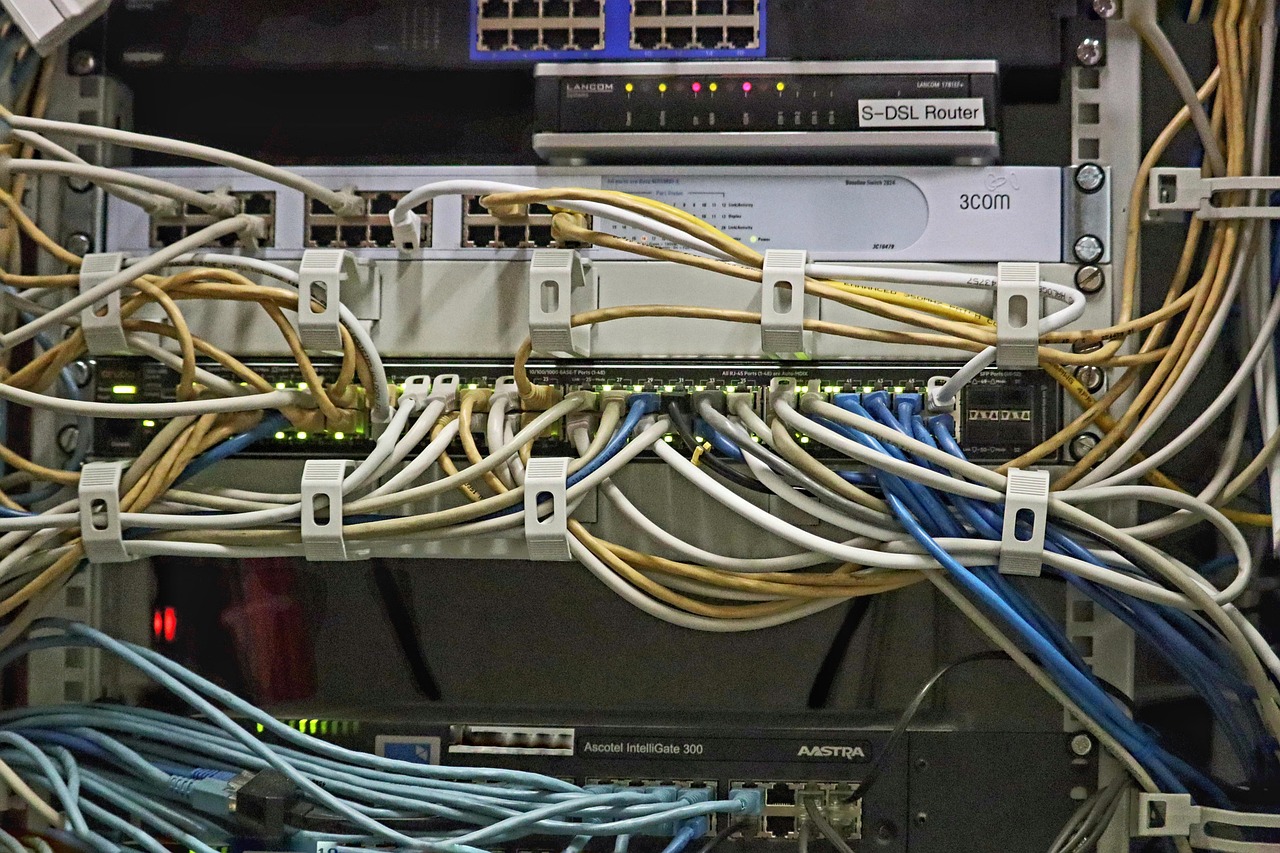
Messy But Dust-free: My Homelab Lives In A Sealed Industrial Cabinet With Its Own AC
Introduction
In the world of self-hosting and homelabs, enthusiasts often face a dilemma: balancing performance, noise, and cleanliness. The typical home environment presents challenges for running 24/7 server hardware. Dust accumulation on fan blades can degrade performance over time, while noisy components can disrupt living spaces. For one Reddit user, the solution came in the form of an extreme but effective approach: housing their entire homelab in a sealed industrial cabinet with its own dedicated air conditioning system.
The motivation was straightforward. After growing tired of cleaning dust from fans every few months and dealing with the constant hum of hardware in a living space, this enthusiast invested in a sealed industrial enclosure. The result? A dust-free environment where no air from the room enters the system, significantly reducing maintenance requirements. The setup now houses a UniFi gateway, a Synology rack NAS, a TrueNAS box, and three ThinkCentre Tinys running CI jobs—all operating in an isolated environment that has been running reliably for over 24 months.
This comprehensive guide explores the infrastructure management considerations, design principles, and operational practices for maintaining a sealed homelab environment. Whether you’re contemplating a similar setup or simply interested in advanced homelab infrastructure strategies, this article provides practical insights grounded in real-world experience.
Keywords: self-hosted, homelab, DevOps, infrastructure management, system administration, cooling solutions, dust prevention, sealed enclosure
Understanding the Topic: Sealed Homelab Infrastructure
The Philosophy of Environmental Control
Traditional homelabs sit exposed to room air, meaning dust, pet dander, and other airborne particles constantly infiltrate chassis vents. In environments with carpeting or high foot traffic, this accumulation becomes particularly problematic. Fans draw in ambient air for cooling, carrying particulates that settle on heat sinks, motherboard components, and connector ports. Over time, this dust layer acts as insulation, reducing thermal efficiency and potentially causing hardware failures.
The sealed cabinet approach inverts this paradigm. By creating a closed-loop cooling system, the homelab environment becomes isolated from the surrounding space. This doesn’t merely prevent dust accumulation—it fundamentally changes how thermal management, noise control, and hardware longevity interact.
Cooling System Design
The centerpiece of this setup is the dedicated air conditioning unit mounted on the cabinet side. Unlike standard server room AC units that cool entire rooms, this configuration employs a targeted approach. The cooling unit interfaces directly with the enclosure, conditioning air that circulates internally.
Several cooling architectures exist for this application:
Heat Exchanger Systems: These use a barrier between the internal and external air streams, allowing heat transfer without mixing air masses. This maintains the seal while efficiently removing waste heat.
Recirculation Units: A dedicated AC unit conditions air that recirculates through the enclosure. This requires careful pressure management to prevent unfiltered air from leaking in through gaps or vents.
Thermoelectric Cooling: For smaller setups, Peltier elements can provide precise temperature control, though they consume more power per unit of cooling capacity.
The Reddit setup likely employs a recirculation or heat exchanger approach given the scale—housing a UniFi gateway, Synology rack NAS, TrueNAS box, and three ThinkCentre Tinys. These components generate varying heat profiles, from the relatively low-power NAS devices to the more demanding CI-running Tinys.
Dust Prevention Strategies
Beyond the sealed enclosure, several complementary strategies enhance dust prevention:
- Positive Pressure: Maintaining slightly higher internal air pressure than the external environment reduces infiltration through minor gaps.
- Filtration: Installing high-efficiency filters at intake points captures particulates before they enter the system.
- Component Selection: Choosing fanless or low-RPM components where possible reduces both noise and dust disturbance.
- Regular Monitoring: Even in sealed environments, pressure differentials can change, warranting periodic checks.
Infrastructure Management Considerations
Managing a sealed homelab introduces unique infrastructure challenges:
- Temperature Monitoring: Without room air as a reference, internal temperature sensors become the primary health indicator for the system.
- Humidity Control: Sealed environments can trap moisture. Dehumidification may be necessary in humid climates.
- Air Quality: While dust is excluded, other contaminants (off-gassing from materials, etc.) can accumulate.
- Maintenance Access: Opening the enclosure for hardware changes or maintenance reintroduces the dust problem, necessitating careful procedures.
Comparison to Alternative Approaches
Traditional homelab setups often prioritize accessibility and expandability over environmental control. Open-air cases with dust filters offer a middle ground, but filters require regular cleaning and can restrict airflow. Dedicated server rooms provide the best environmental control but at significant real estate and cost premiums.
The sealed cabinet approach sits between these extremes—offering substantial dust reduction without requiring a full server room infrastructure. It’s particularly suited to living space environments where noise and aesthetics matter, but self-hosting capabilities remain desired.
Real-World Applications and Success Stories
The Reddit community has seen several variations of this theme. Some enthusiasts modify unused furniture (wardrobes, cabinets) with custom sealing and cooling. Others invest in purpose-built enclosure solutions. The common thread is a commitment to reducing maintenance overhead while maintaining reliable 24/7 operation.
Commercial options now exist too, with some companies producing ventilated, filtered enclosures designed specifically for homelab use. However, the DIY industrial cabinet approach demonstrated in the Reddit post often provides superior sealing at lower cost, albeit with more hands-on construction required.
Prerequisites for a Sealed Homelab Setup
Hardware Requirements
Before embarking on a sealed cabinet project, several hardware considerations merit attention:
The Enclosure: Industrial cabinets suitable for this purpose typically feature steel construction with provisions for cable entry points. The Reddit poster’s choice suggests a purpose-built or repurposed industrial enclosure—likely with gasket-sealed doors and minimal perforation. When selecting or constructing an enclosure, consider:
- Internal volume to accommodate all intended hardware
- Door sealing quality (gaskets, latches that maintain seal)
- Cable entry point management (grommets, bulkheads)
- Mounting options for cooling equipment
Cooling Unit: The AC or cooling system requires careful sizing. Factors include:
- Total heat output of all components (measured in BTU/hr or watts)
- Enclosure insulation properties
- Desired internal temperature range
- Ambient temperature of the installation location
- Noise tolerance (AC units generate operational noise)
For the described setup with a Synology rack NAS, TrueNAS box, UniFi gateway, and three ThinkCentre Tinys running CI workloads, a modest cooling capacity likely suffices. However, CI jobs can spike CPU utilization, demanding additional headroom.
ThinkCentre Tinys: These compact form factor systems offer a compelling balance of performance and thermals. Their small size makes them well-suited to enclosed environments, though adequate airflow within the cabinet remains necessary.
Synology Rack NAS: Rack-mounted NAS solutions typically include built-in fan management and temperature monitoring. When integrating into a sealed environment, understanding the native fan control logic becomes important.
TrueNAS Box: Similar considerations apply to bare-metal TrueNAS installations. The zvol/pool configuration, network interface count, and disk array size all impact thermal output.
UniFi Gateway: The network edge device generates minimal heat but represents a critical single point of failure. Its placement within the sealed environment should prioritize accessibility for troubleshooting.
Software and OS Requirements
Container Orchestration: The three ThinkCentre Tinys running CI jobs suggest Docker or Kubernetes deployment. For a sealed environment, container choice impacts:
- Base image size (smaller images generate less heat)
- Resource requests/limits (preventing runaway CPU/GPU usage)
- Restart policies (critical for unattended operation)
- Network configuration (isolated vs. bridged networking)
Operating Systems: Each component likely runs different OS variants:
- TrueNAS: FreeBSD-based, ZFS filesystem
- Synology: DiskStation Manager (DSM), Linux-based
- ThinkCentre Tinys: Possibly Ubuntu, Debian, or specialized CI OS
- UniFi Gateway: EdgeOS or UniFi OS
Understanding how each OS interacts with the physical environment—fan speeds, temperature thresholds, power management—is essential before sealing the enclosure.
Network and Security Considerations
Network Topology: The UniFi gateway positioned within the sealed cabinet implies the entire homelab sits on a isolated network segment. Considerations include:
- Uplink connectivity to the main residence network
- VLAN segmentation for different service categories
- Firewall rules appropriate for the enclosed environment
- Remote access strategies (SSH, VPN, outbound-only tunnels)
Security Implications: A sealed environment presents unique security aspects:
- Physical access becomes the primary security concern
- Reduced attack surface from external network threats
- Update management becomes critical—how do you patch systems without breaking the seal?
- Monitoring and logging strategies for an isolated environment
Power Management: The AC unit adds a power consideration. Ensure:
- Dedicated circuit capacity for both hardware and cooling
- Uninterruptible power supply (UPS) for both computing and cooling equipment
- Graceful shutdown procedures for power outages
- Power consumption monitoring for cost tracking
User Permissions and Access Levels
Physical Access: Define who can open the cabinet and under what circumstances. The Reddit poster mentioned cable management as “next on the list,” suggesting ongoing access requirements. Establish protocols that balance maintenance needs with seal integrity.
Remote Access: For DevOps operations, remote management becomes essential. Secure Shell (SSH) access, combined with out-of-band management (IPMI, iDRAC, or similar), allows system administration without physical cabinet access.
Service Accounts: With multiple services running (UniFi, Synology, TrueNAS, CI jobs), proper account segregation prevents unauthorized access across service boundaries.
Pre-Installation Checklist
Before physically installing hardware into the sealed cabinet, complete this verification:
Thermal Testing: Run all components in open-air configuration, monitoring temperatures under load. Establish baseline thermal profiles.
Cooling Capacity Verification: Calculate total heat output and confirm the selected cooling unit can maintain target temperatures.
Seal Integrity Testing: With all hardware inside, conduct a smoke test or pressurization test to identify potential air leak points.
Cable Planning: Map all required connections (power, network, serial console, USB for out-of-band management) before cabinet closure.
Power Redundancy Planning: Determine if UPS coverage extends to the cooling unit, or if separate redundancy exists.
Monitoring Setup: Install temperature sensors